> For the complete documentation index, see [llms.txt](https://docs.nedyx.com/llms.txt). Markdown versions of documentation pages are available by appending `.md` to page URLs; this page is available as [Markdown](https://docs.nedyx.com/version-1.66/nedyx/clearlines-functions/widget-functions/switch.md).
# SWITCH
Changes the setting of a menu widget.
#### Syntax
**SWITCH**(*widget;* *newEntry; type*)
* *widget* - the menu widget to which the new setting should be applied - ***Value type**: widget*
* *newEntry* - the new entry, to which the menu should be switched - ***Value type**: any (depending on parameter “type”)*
* *type* - the type of the parameter *newEntry* - ***Value type**: constant (optional, default value: position)*\
Possible values are
* *value* - parameter *newEntry* contains the value of the new entry
* *position* - parameter *newEntry* contains the position of the new entry in the list of menu entries
#### Remarks
1. *position* is 1-based, so if the first entry should be selected, *position* must be 1.
2. If *position* is less than 1 or higher than the number of menu entries, the menu selection does not change.
3. The "On switch" action of the menu widget is executed directly after the function is called.
#### Example
The button switches menu1 to position 1:
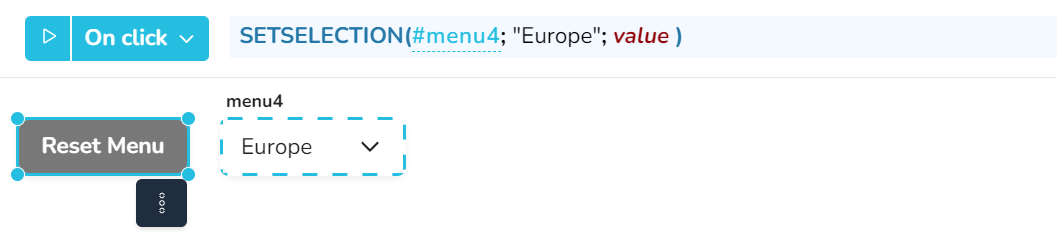
Here the button switches menu4 to value "Europe":
.png?alt=media)