> For the complete documentation index, see [llms.txt](https://docs.nedyx.com/llms.txt). Markdown versions of documentation pages are available by appending `.md` to page URLs; this page is available as [Markdown](https://docs.nedyx.com/version-1.66/nedyx/clearlines-functions/range-functions/rangetojson.md).
# RANGETOJSON
Converts a range of cells to a json text.
#### Syntax
**RANGETOJSON**(*values*, *keys*)
1. *values* - the values which should be added to the json string - ***Value type**: any*
2. *keys* - the keys which are added to the json string - ***Value type**: text (optional)*
#### Remarks
* The json string is created in the following way:
* If *keys* is specified, *values* are packaged as **key-value pairs** into the json string in the following way:
* if *values* contains only one row, the json string consists on one object, including the key-value pairs of *keys* and their corresponding *values*.
* if values contains multiple row, the json string consists on an array with one object per row, including the key-value pairs of *keys* and their corresponding *values (in the same way as above)*.
* If *keys* is not specified, *values* are packaged as **array elements** into the json string, in the following way:
* every row of values is added as an element of the array
* if a row contains more than one cell, every cell content of the row is added as an element to a sub-array to the outer array
#### Examples
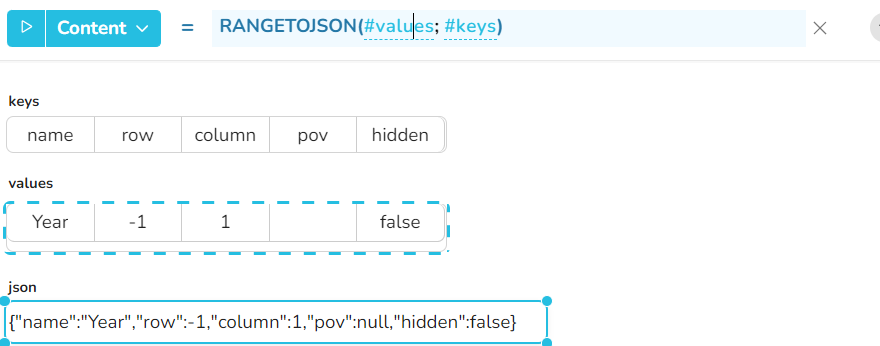
**Example 1**: The content of the *#keys* and *#values* widgets are used to create a json object string.
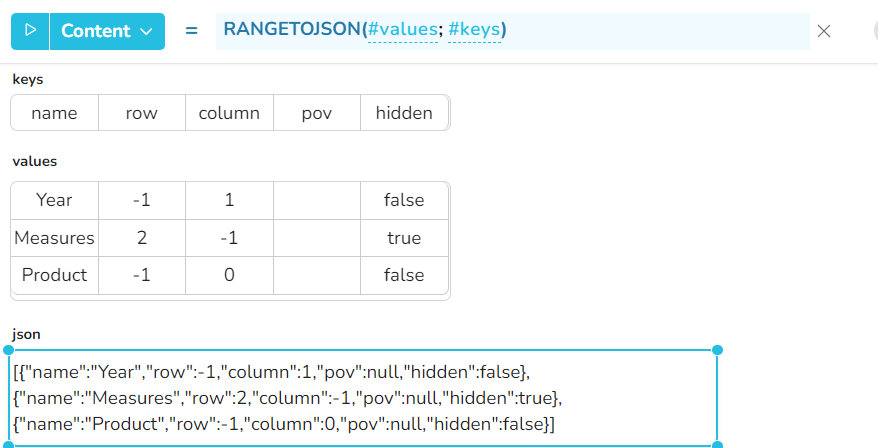
**Example 2**: The same as example 1, but the *#values* widget contains now multiple rows. Every row is then added as a separate object in the json string.
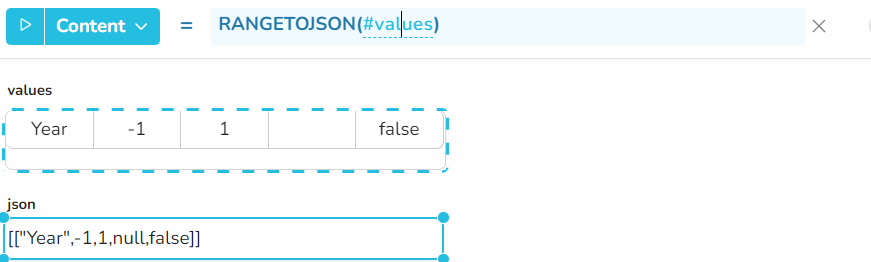
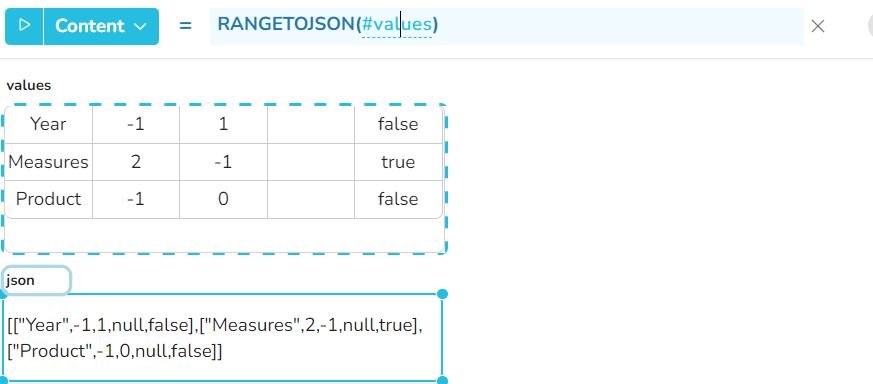
**Example 3:** If no keys are specified, only the #values is added in the json string.
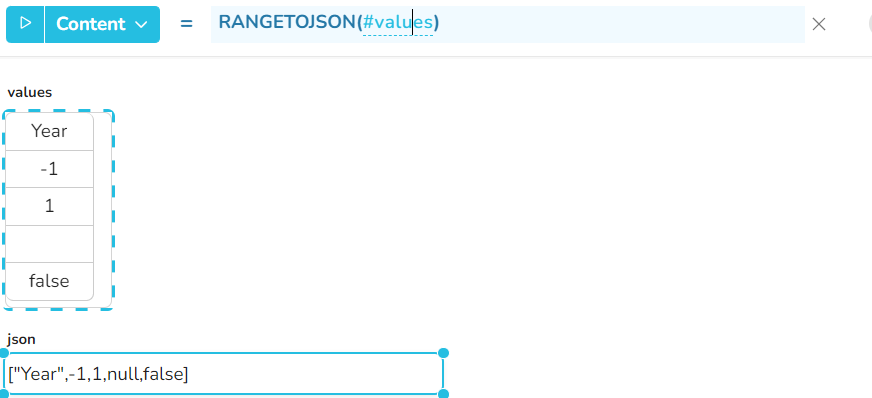
**Example 4**: This structure can be used to create a json string with only one array, containing values.
**Example 5**: Same as example 3, but with multiple lines in #values. This returns then a json string containing a nested array of values.