> For the complete documentation index, see [llms.txt](https://docs.nedyx.com/llms.txt). Markdown versions of documentation pages are available by appending `.md` to page URLs; this page is available as [Markdown](https://docs.nedyx.com/version-1.66/nedyx/clearlines-functions/range-functions/pivot.md).
# PIVOT
Converts a row-based range of values to a column-based range of values.
#### Syntax
**PIVOT**(*range; numRowElements*)
1. *range* - the range whose content should be converted in a pivot structure - ***Value type**: a range of any data*
2. *numRowElements* - specifies how many starting columns from *range* should be used for the rows of the result range - ***Value type**: integer (optional, default value: 1)*
#### Remark
* The function converts the single values from range into values in multiple columns in the result range. Each value is specified by its (single or multiple) row and column attributes.
#### Examples
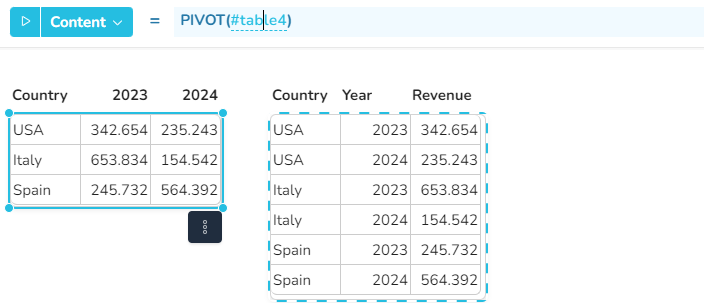
**Example 1** - PIVOT with one column for rows and one column for columns.
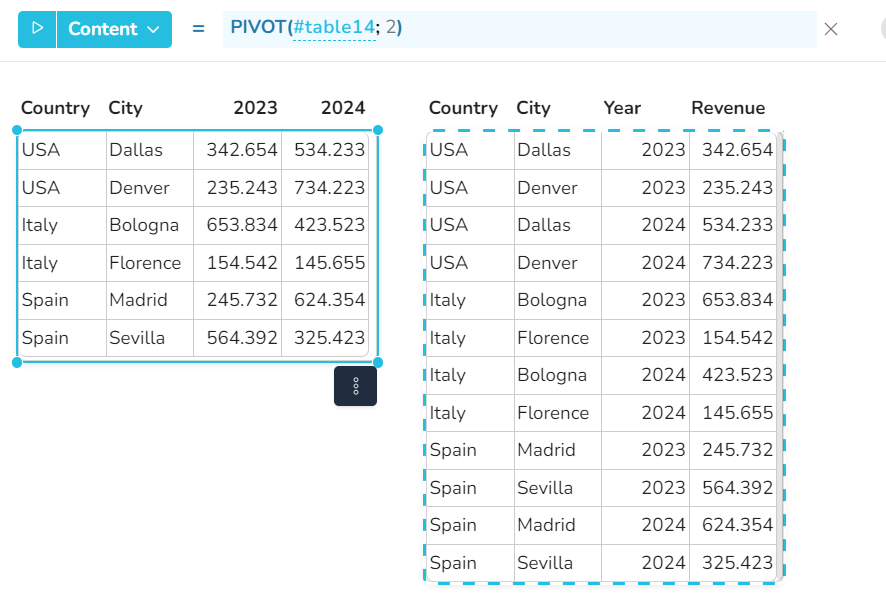
**Example 2** - PIVOT function with two columns with row attributes.
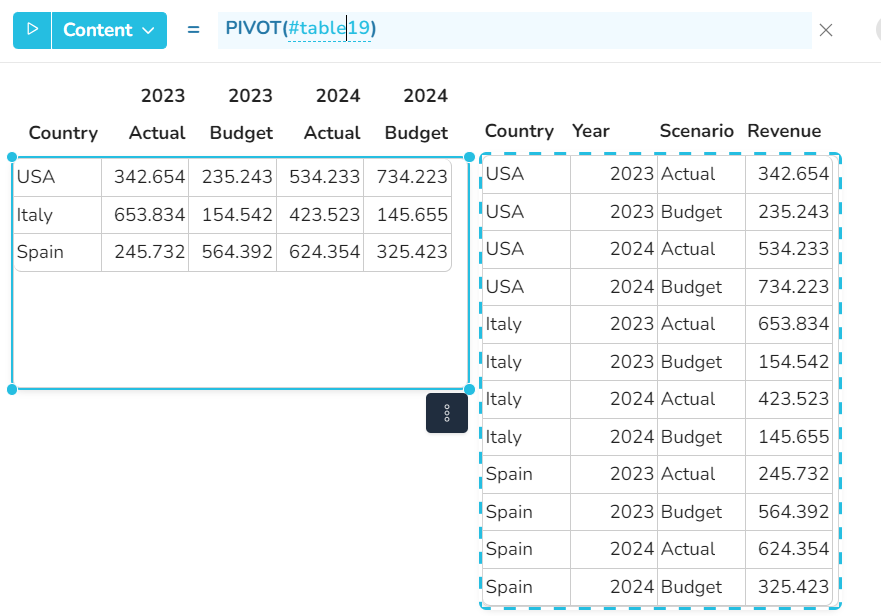
**Example 3** - PIVOT function with two columns with column attributes.