> For the complete documentation index, see [llms.txt](https://docs.nedyx.com/llms.txt). Markdown versions of documentation pages are available by appending `.md` to page URLs; this page is available as [Markdown](https://docs.nedyx.com/version-1.66/nedyx/clearlines-functions/range-functions/combine.md).
# COMBINE
Returns the combination of two or more ranges.
#### Syntax
**COMBINE**(*range1*; *range2*; …; *rangeN*; *orientation*)
* *range1-N* - ranges of values - ***Value type**: range*
* *orientation* - the orientation of the combination - ***Value type**: constant (optional, horizontal as default).*\
Possible values are:
* *horizontal* - the ranges are combined horizontally
* *vertical* - the ranges are combined vertically
#### Remarks
* If *orientation* is *horizontal*, the total number of rows is defined by the range which contains the maximum number of rows for all ranges. For orientation *vertical* analogue.
* If a *range* is empty, it is not used for the combination (not even as an empty row or column).
#### Example
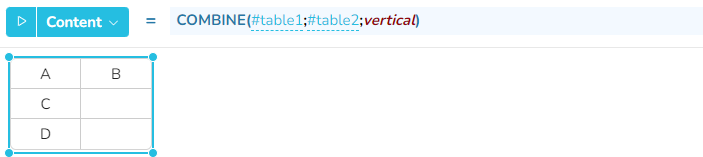
In the two examples below table1 and table2 are combined horizontally (which is the default) and vertically.