> For the complete documentation index, see [llms.txt](https://docs.nedyx.com/llms.txt). Markdown versions of documentation pages are available by appending `.md` to page URLs; this page is available as [Markdown](https://docs.nedyx.com/version-1.66/nedyx/clearlines-functions/general-aspects/calculated-widget-properties/tooltips.md).
# Tooltips
The Tooltips property defines which tooltips are displayed for widgets, the cells of a table widget, the entries in a menu widget or elements of a chart widget.
#### Value type
Tooltips are of the value type *text*. If other value types such as numbers or dates are specified, these are converted to text.
If a tooltip value is empty, no tooltip is displayed for this element.
#### Remarks
* If only one tooltip value is specified for a menu widget, this is displayed for the menu button. If a list of tooltip values is specified, these tooltips are displayed for the individual entries of the menu pop-up.
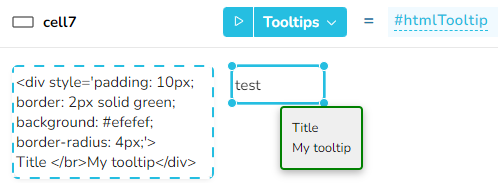
* It is possible to format the tooltips using HTML markup (see example 2 below).
#### Examples
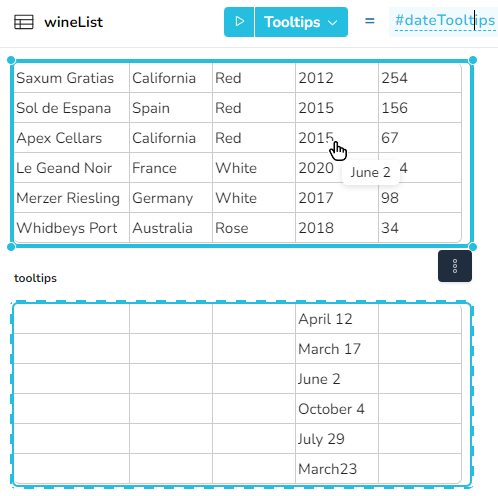
Example 1: In this example, the exact day of the order is displayed as a tooltip for the year.
Example 2: In this example, the tooltip is formatted using HTML markup: