> For the complete documentation index, see [llms.txt](https://docs.nedyx.com/llms.txt). Markdown versions of documentation pages are available by appending `.md` to page URLs; this page is available as [Markdown](https://docs.nedyx.com/version-1.66/nedyx/clearlines-functions/database-functions/insertdata.md).
# INSERTDATA
Writes data back to a data source.
#### Syntax
**INSERTDATA**(*table*)
* *table* - a table widget which contains the datasets which should be inserted into the data source - ***Value type**: table widget*
#### Remarks
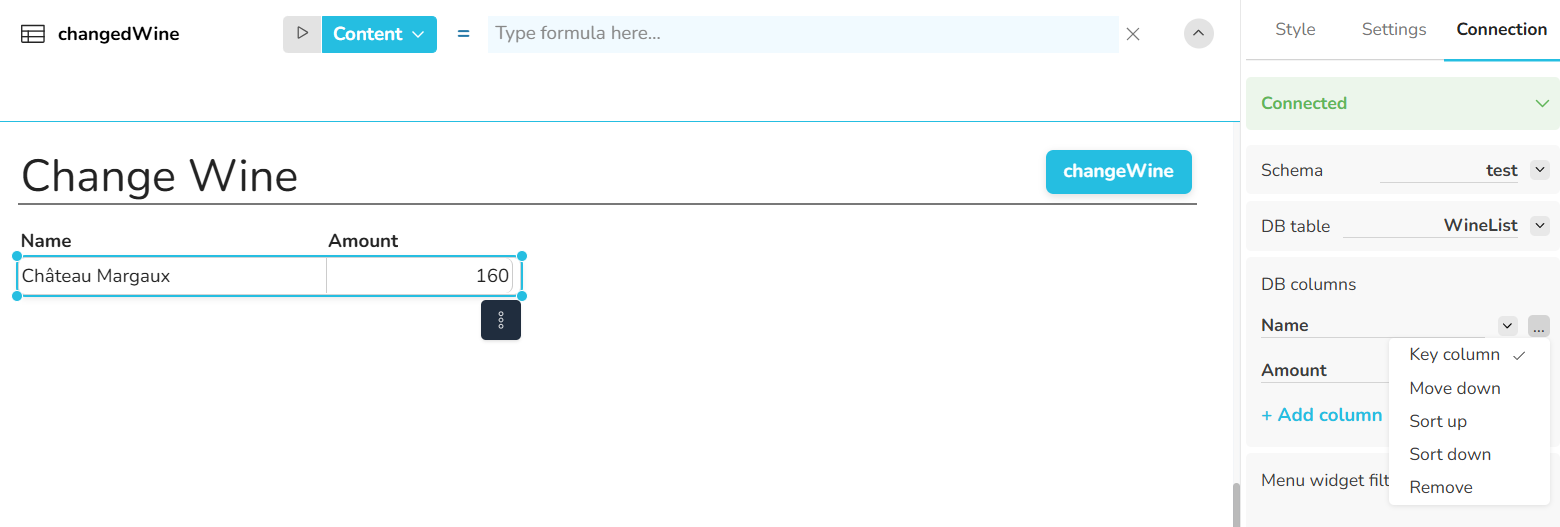
* *table* must be a table widget which has a database connection assigned, including:
* a connnection to a relational database
* (optional) a specified database schema
* a specified database table
* specified database columns
* with specified key columns (“Key” property) - optional
* If columns are not specified, they are added with a null value.
* The logic of the insertion is as follows:
* If there is already a dataset with the specified key column values in the db table, the exisiting dataset will be overwritten.
* If not, the dataset is added as new dataset.
* If no key column is specified, all datasets are added.
* The widget which calls the INSERTDATA function does not need to be connected to the data source.
#### Examples
*Example 1 - Change the whole database table*
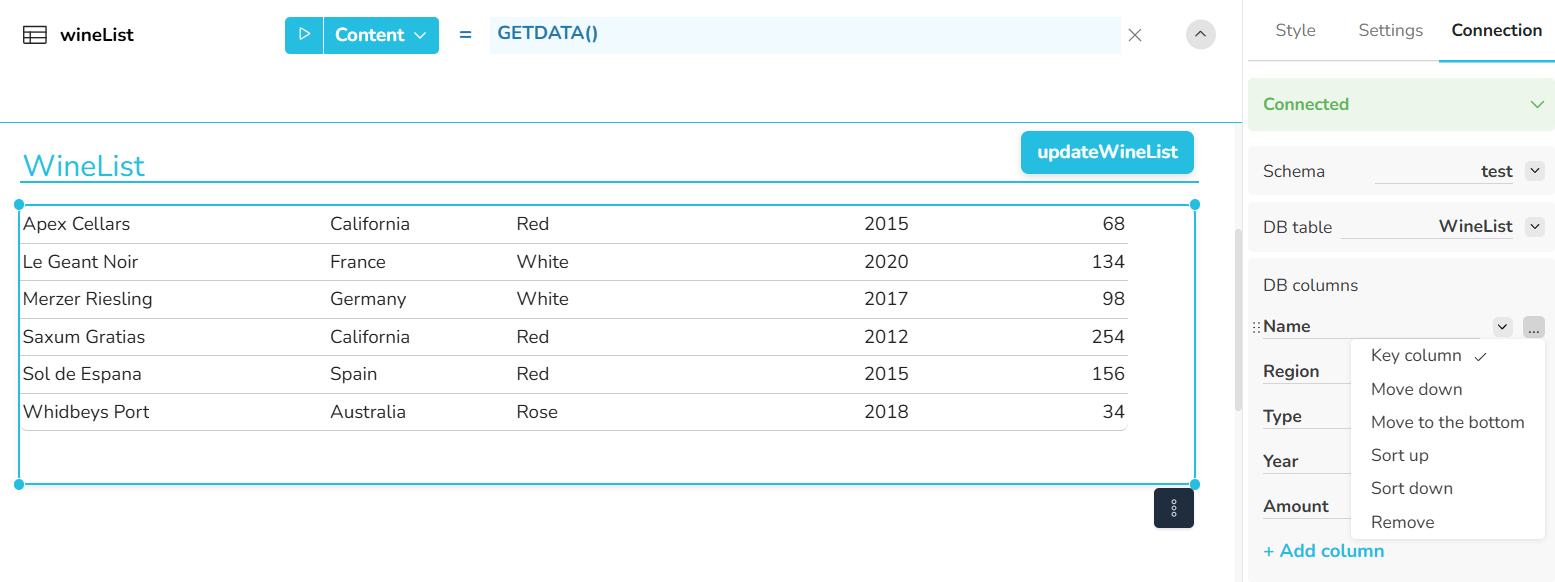
The WineList table is filled with the function GETDATA, showing the data from the WineList database table. The column Name has the property "Key column".
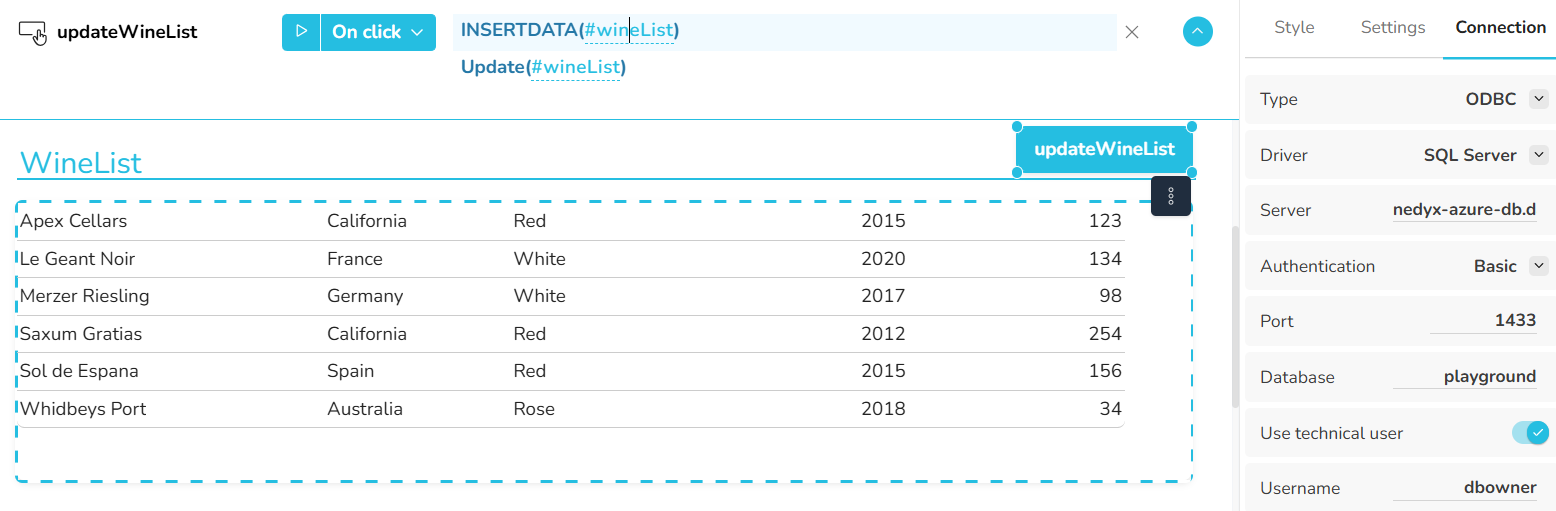
If the content of this table should be changed, a single call of the INSERTDATA function is sufficient, using the table as parameter.
*Example 2 - Add a single row*
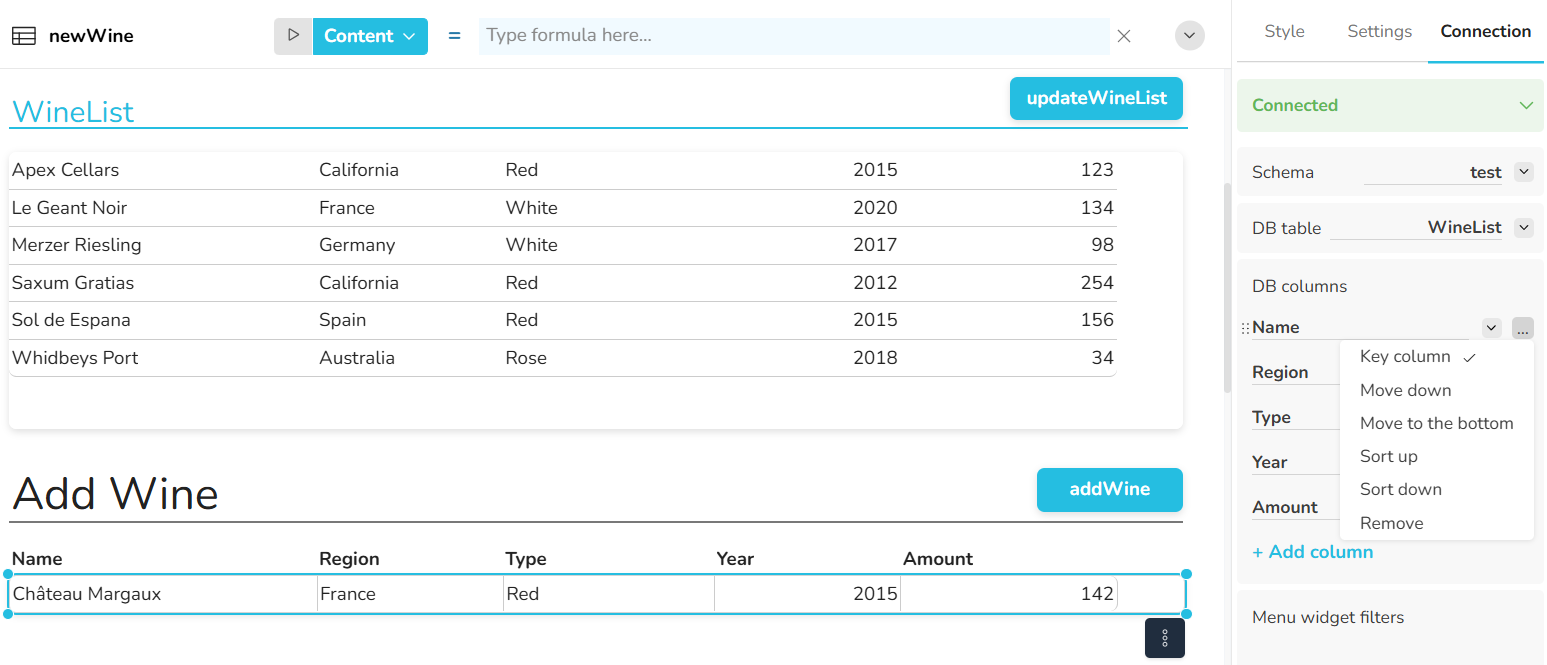
The content of the database table from example 1 can be changed by another table as well. Here a single new dataset should be added. For this, the settings in the Connection tab should be the same as for the *WineList* table.
Please note that the second table is not filled with the GETDATA function. Instead, it can be filled with any dataset content, e.g. manually or using other formulas.
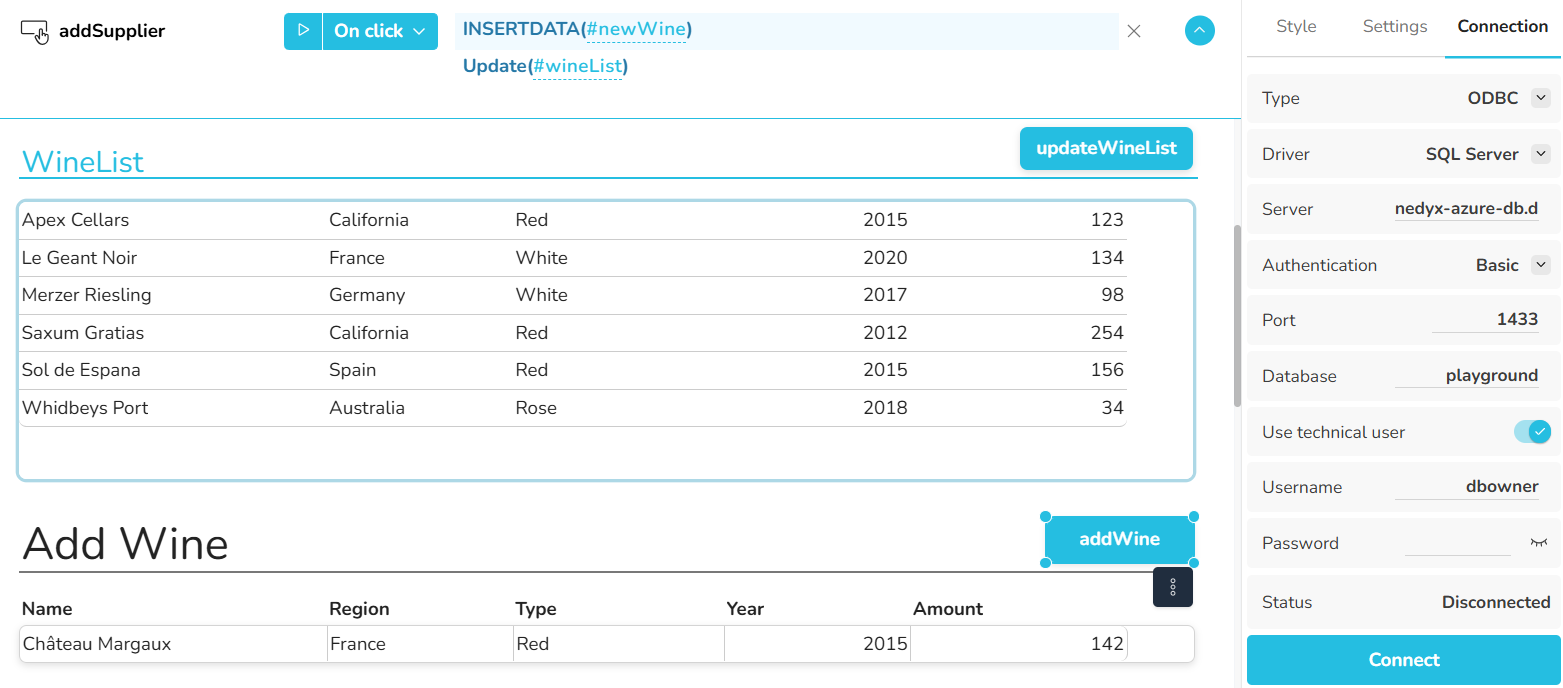
Now any single or multiple datasets can be added or changed, by clicking on the *AddWine* button.
*Example 3 - Add single values*
If only a single value should be added or changed for a dataset, the other database columns do not to be specified.