> For the complete documentation index, see [llms.txt](https://docs.nedyx.com/llms.txt). Markdown versions of documentation pages are available by appending `.md` to page URLs; this page is available as [Markdown](https://docs.nedyx.com/version-1.66/nedyx/clearlines-functions/database-functions/getdata.md).
# GETDATA
Retrieves data from a data connector.
#### Syntax
**GETDATA**(*statement*)
* *statement* - the statement which is sent to the database to retrieve the data - ***Value type**: text (optional)*
#### Remarks
* This function can only be executed by a widget which has a database connection assigned (a button, menu or a table widget), either directly in its Connection tab, or by a reference to another widget (see chapter [Connection property](/version-1.66/nedyx/clearlines-functions/general-aspects/calculated-widget-properties/connection.md)).
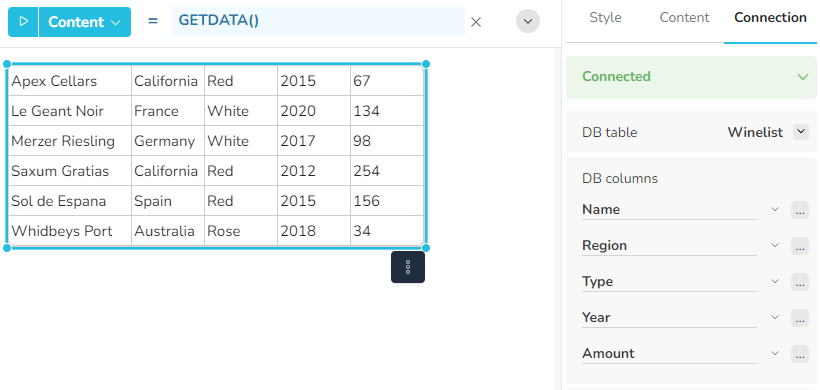
* If GETDATA is called without a parameter, the function returns the content of the database table which is defined in the Connection tab.
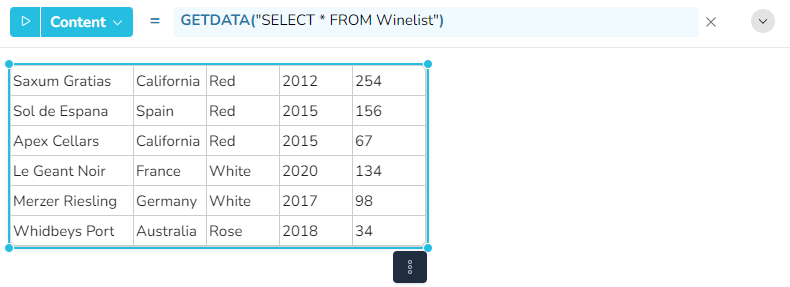
* If GETDATA is called with the parameter *statement*, the string defined by statement is sent to the database instead of the settings in the Connection tab.
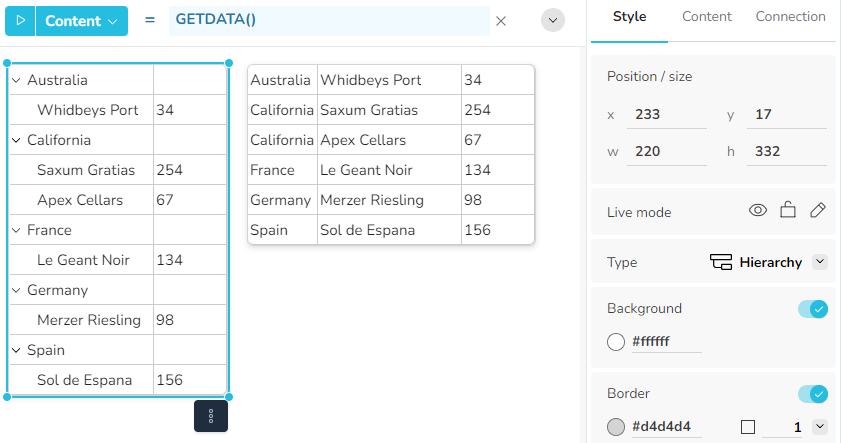
* If GETDATA is called for a hierarchy or a hierarchy menu widget, it returns the data in a hierarchical structure:
The left selected widget is a hierarchy widget, the right widget a table widget. Depending on the widget type, the GETDATA function returns the content in a hierarchical structure.
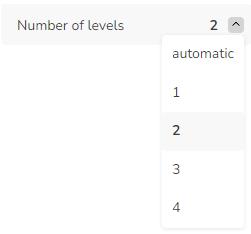
For these widget types, the property "Number of levels" in the Connection tab specifies how many of the first columns define the hierarchy: