> For the complete documentation index, see [llms.txt](https://docs.nedyx.com/llms.txt). Markdown versions of documentation pages are available by appending `.md` to page URLs; this page is available as [Markdown](https://docs.nedyx.com/version-1.66/nedyx/clearlines-functions/database-functions/callurl.md).
# CALLURL
Returns the result of an http-based url request.
#### Syntax
**CALLURL**(url; *method*; *body*; *header*)
* *url* - the url to which the request is sent - ***Value type**: text*
* *method* - the http request method ("GET", "POST", "DELETE", ...) - ***Value type**: text (optional, default: "GET")*
* *body* - the body data of the http request - ***Value type**: text (optional, default: empty)*
* *header* - the header of the http request - ***Value type**: text (optional, default: empty)*
#### Remarks
* The function returns the result of the http request as text.
* If the url request returns any mime type other than text/…, application/javascript, application/json, application/xml, the function returns !ERROR.
#### Linking the CALLURL function with a database widget
It is possible to use an authentication for the CALLURL function that is stored in a REST or Essbase connection. This allows requests to be sent directly to a REST api with corresponding authentication or to the REST api of an Essbase server, for example.
The widget for which the connection is defined is stored as a reference in the connection formula.
#### Example 1
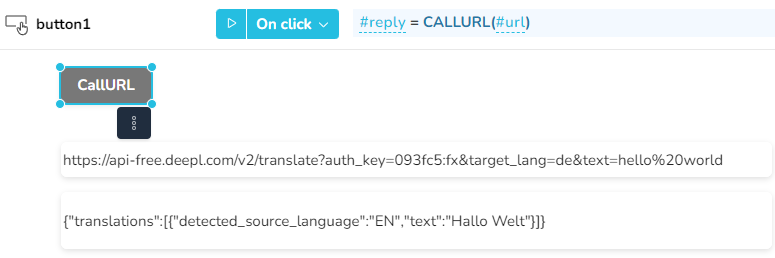
After clicking on the CallURL button, the url from the top cell widget is sent, and the result is assigned to the bottom cell.
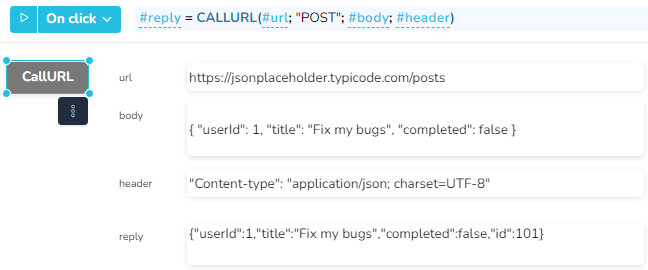
In this example, a post request is sent to a url, including body and header information.
#### Example 2 - ChatGPT Communication
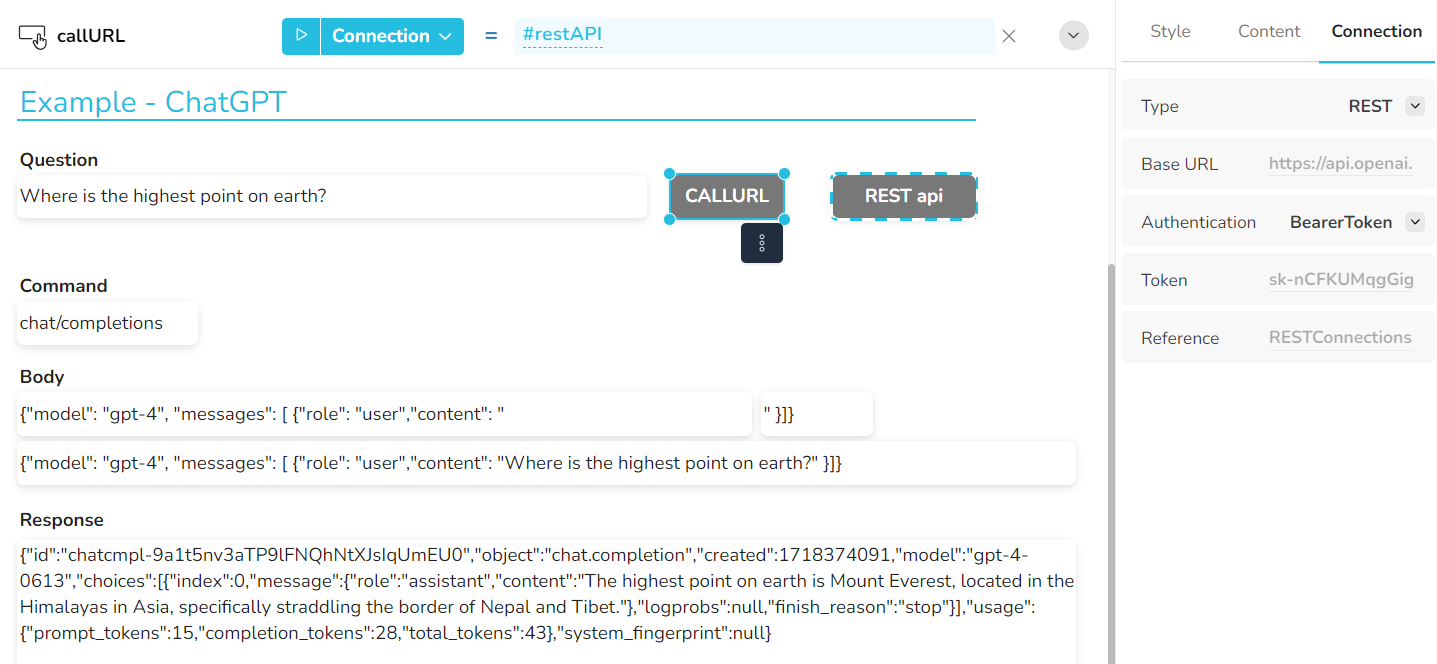
The "CALLURL" button uses the "REST api" button as a reference in the connection formula. When a request is sent with the CALLURL function, the authentication of the connection is used, in this case a bearer token (which is required by ChatGPT).
The CALLURL button references the REST api button in its Connection formula
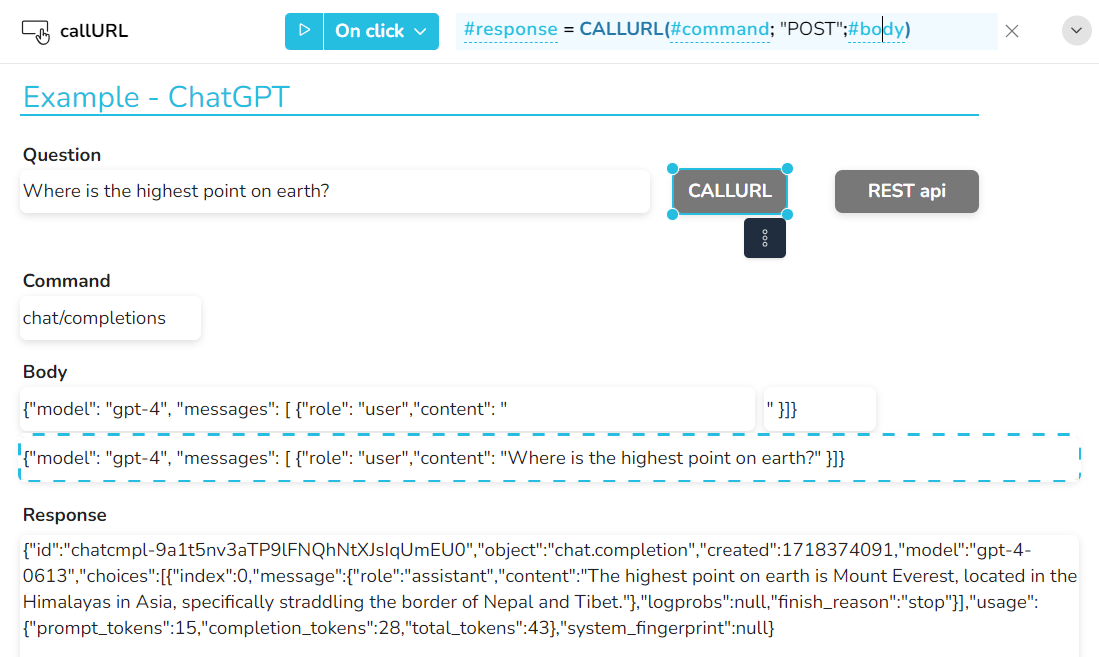
The query can then be sent using the CALLURL function