> For the complete documentation index, see [llms.txt](https://docs.nedyx.com/llms.txt). Markdown versions of documentation pages are available by appending `.md` to page URLs; this page is available as [Markdown](https://docs.nedyx.com/version-1.66-de/clearlines-funktionen/import-export-funktionen/upload.md).
# UPLOAD
Lädt den Inhalt einer Datei vom lokalen Client-Computer in ein Widget hoch.
#### Syntax
**UPLOAD**()
#### Bemerkungen
* Beim Aufruf dieser Funktion wird der Standard-Upload des Browsers verwendet, um die Datei von dem lokalen Computer hochzuladen.
* Die Funktion gibt den Inhalt der hochgeladenen Datei als unformatierten Text zurück.
* Falls ein Fehler auftritt, wird !ERROR zurückgegeben.
#### Beispiele
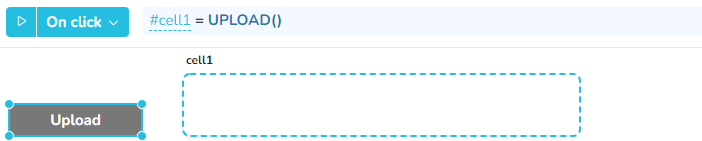
Durch Klicken auf die Schaltfläche "Hochladen" wird der Dialog "Datei öffnen" im Browser geöffnet. Nachdem der Benutzer die hochzuladende Datei ausgewählt hat, wird der Textinhalt in cell1 kopiert.
In Kombination mit CSVTORANGE kann die Funktion UPLOAD verwendet werden, um den Inhalt eines Tabellen-Widgets mit dem Inhalt einer csv-Datei auf dem Client-Rechner zu füllen. Die Formel des "Upload"-Buttons ist hier analog zum vorherigen Beispiel: #cell2 = UPLOAD()