> For the complete documentation index, see [llms.txt](https://docs.nedyx.com/llms.txt). Markdown versions of documentation pages are available by appending `.md` to page URLs; this page is available as [Markdown](https://docs.nedyx.com/version-1.52-preview/clearlines-functions/general-aspects/calculated-widget-properties/connection.md).
# Connection
The Connection property defines if another widget should be used for the database connection.
#### Syntax
To use the connection of another widget, the standard widget reference syntax is used within the Connection formula:
#widgetName
or (if the widget is on another page):
#pageName.widgetName
#### Remarks
* With the connection property it is possible to use the same database connection from many other widgets.
* If a widget uses the connection of another widget, the adopted connection properties are displayed as read-only in the connection tab. Only the table menu is available, to select the database table or view from which the data is displayed.
#### Examples
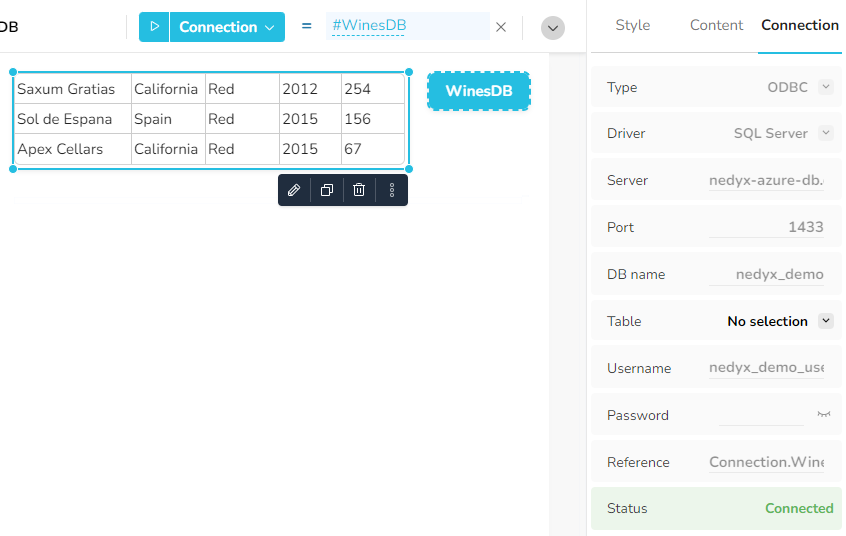
The table uses the connection, which is defined in the "WinesDB" button. \
Only the table menu is available in the Connection tab, all other parameters can only be changed in the "WinesDB" button widget.