> For the complete documentation index, see [llms.txt](https://docs.nedyx.com/llms.txt). Markdown versions of documentation pages are available by appending `.md` to page URLs; this page is available as [Markdown](https://docs.nedyx.com/nedyx/working-with-nedyx/other-areas.md).
# Other areas
#### The "Add widget" toolbar
Widgets can be added to a page via the “Add widget” toolbar. Further information can be found in the [Adding widgets](/nedyx/working-with-nedyx/widgets/adding-widgets.md) chapter.
#### The "Name" Field (for Pages and Widgets)
The name of the currently selected widget is displayed in the “Name” field and can be changed.
#### The Search Dialog
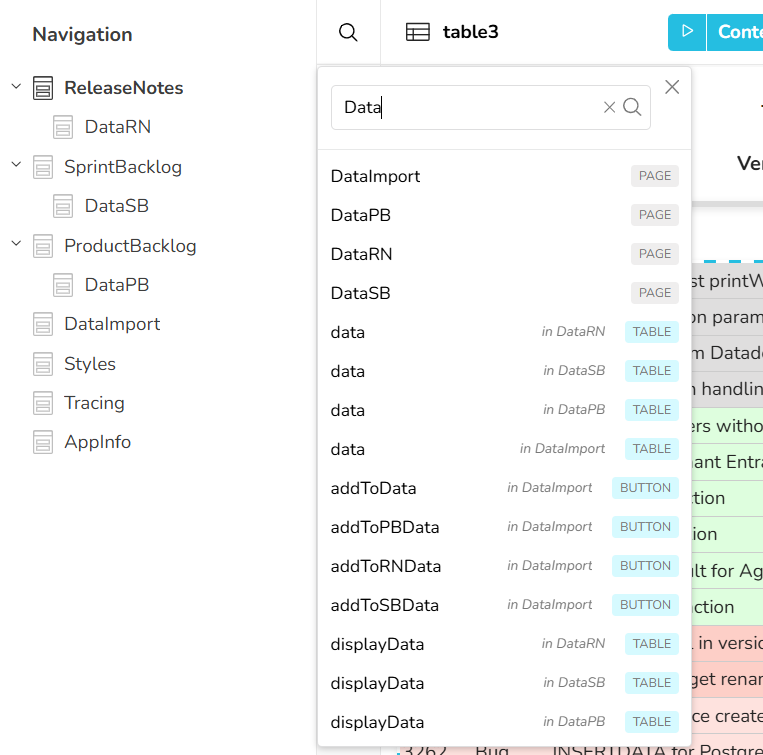
The search dialog allows you to search for widgets on all pages of the app.\
It is available in Edit Mode and can be opened using the shortcut CTRL+f.
Based on the search text entered, all pages and widgets (in the current or previously selected page) are listed and can be opened by clicking on them.
.png?alt=media)
.png?alt=media)